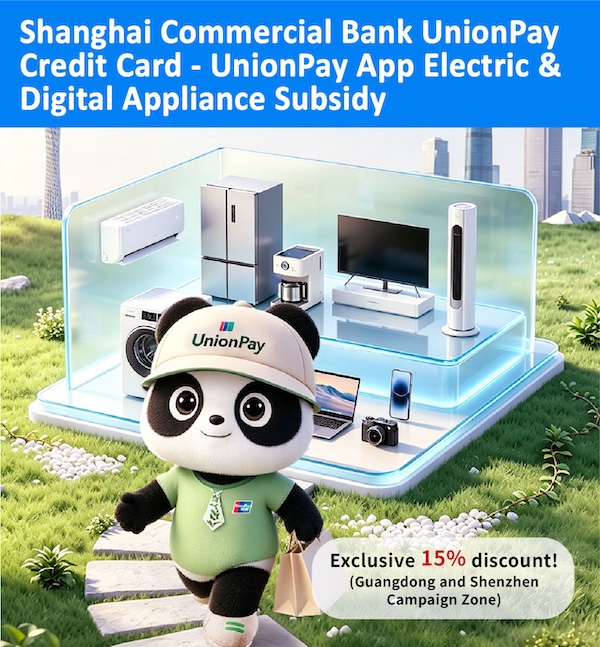
Shanghai Commercial Bank UnionPay Credit Card
UnionPay App Electric and Digital Appliance Subsidy to enjoy 15% Discount Offer (Guangdong & Shenzhen Campaign Zone
Promotion Details
From now until 31 December 2026, bind your Shanghai Commercial Bank UnionPay Credit Card to the UnionPay App, register to receive a 15% discount on electric and digital appliances within the app! Each product can be reduced by up to RMB $1,500! The more you buy, the more you save!
Offer 1
Enjoy a 15% discount1 on the following digital products, with a maximum discount of RMB $500 per product!
| Products |
| Smartphone |
Tablet |
Smartwatch / Wristwatch |
Smartglasses |
Remarks:
- Cardholder can enjoy the discount once for each product.
- The maximum price per product is RMB 6,000.
If the price of a single product exceeds RMB 6,000, you can register for Shenzhen's trade-in subsidy! (For registration details, please refer to Step 3 of "Registration Process" -> "Registration Process in Shenzhen Area")
- For the list of participating merchants, please refer to the offer page in UnionPay App.
- The product voucher is valid for 3 days from the date of receipt. It can be re-received a maximum of 2 times.
Offer 2
Enjoy a 15% discount2 on the following home appliances1, with a maximum discount of RMB 1,500 per product!
| Products |
| Television |
Refrigerator |
Air-Conditioner |
Washing Machine |
Water Heater |
Computer |
Remarks:
- Products must be listed in the energy efficiency label catalog, and the energy efficiency or water efficiency rating of the products must be Level 1.
- Cardholder can enjoy the discount once for each product.
- For a list of participating merchants, please refer to the offer page in UnionPay App.
- The product voucher is valid for 3 days from the date of receipt. It can be re-received a maximum of 2 times.
Offer 3
Enjoy a 15% discount2 on the following electric products1, with a maximum discount of RMB 1,500 per product!
| Products |
Smart
Door Lock |
Printer |
Digital
Camera |
Monitor /
Projector |
Electronic
Bidet |
Machine
Ventilator |
Remarks:
- Products must be listed in the energy efficiency label catalog, and the energy efficiency or water efficiency rating of the products must be Level 2 or above.
- Cardholder can enjoy the discount once for each product.
- For the list of participating merchants, please refer to the offer page in UnionPay App.
- The product eligibility coupon is valid for 3 days from the date of receipt. It can be re-received a maximum of 2 times.
Offer registration Process
| Guangdong Region (excluding Shenzhen) Registration Process |
| Step 1: |
Click the "Electric & Digital Applicance" banner. |
| Step 2: |
Click "2026 Consumer Products Trade-in Program" |
| Step 3: |
Locate "Guangdong Province (excluding Shenzhen)", select the desired product category, and click the corresponding entry (e.g. home appliances, digital and smart products or add new product category). |
| Step 4: |
Select the corresponding product category and click "Claim Eligibility". |
| Step 5: |
Click "Submit" to apply the Offer. |
| Step 6: |
The message "Coupon issued successfully" shown in "My Application" means the cardholder have received the qualification voucher. |
| Shenzhen Area Registration Process |
| Step 1: |
Enter the UnionPay App, switch the region to "Shenzhen" in the top left corner, then click on "Shenzhen City Vouchers" on the homepage. |
| Step 2: |
Click to enter the "Shenzhen Products Trade-in" section. |
| Step 3: |
Select either "Electric and Digital Appliances" (National Subsidy) or the "Enjoy Shenzhen Life" (Municipal Subsidy).
Remarks: National Subsidy is only applicable to those six categories of home appliances, four categories of digital products (below RMB 6,000), and six categories of electric products. However, the Municipal Subsidy can cover the digital products of RMB 6,000 or above. |
| Step 4: |
Click "Agree Authorization" |
| Step 5: |
Complete the identity information, including name, personal information recorded on "Mainland Travel Permit for Hong Kong and Macau Residents" and phone number. |
| Step 6: |
Select "Application Type" and click "Next Step". |
| Step 7: |
Sign the Commitment Letter |
| Step 8: |
Provide the QR code to the participating merchants’ staff for verification. After approval, cardholder can proceed to claim the voucher. |
How to use
| Step 1: |
Enter the App
After being eligible of the subsidy, enter to the UnionPay App and click "Pay" on the main page. |
| Step 2: |
Display the "Pay" code
Display the UnionPay QR code to the participating merchants to enjoy the subsidy. |
Terms and Conditions
The Bank will send the promotion information via email from time to time. If you would like to receive the Bank's latest promotion, please update your email address and agree to receive promotion information.
Notice of Addition / Change of
Contact Details Instruction Form for Receiving
Marketing Materials
Reminders about Responsible Borrowing
- You should have a clear understanding of your financial condition, daily expenses, and actual borrowing needs.
- You should have assessed your repayment ability and avoid over-borrowing.
- You should repay any outstanding balance on time to avoid late payment charges and additional overdue interest charged by the bank.
- To borrow or not to borrow? Borrow only if you can repay!
In case you wish to enquire whether a third party is appointed by our Bank for referring credit card or loan application, please contact customer service hot line 2818 0282.