Updates on Corporate Internet Banking logon security measures
We are committed to keeping your account safe, starting from 4 Aug 2024, the bank will implement additional Internet Banking login security measures for Corporate Internet Banking. This enhancement will require you to use two-factor authentication (2FA) or enter a "Captcha" when logging in to the Corporate Internet Banking, providing more effective protection and further mitigating the risk of an unauthorised person getting illegal access to your account.
When logging in to Corporate Internet Banking, in addition to the User ID and Internet Banking Password, you must also use Mobile Security Token or use Physical Security Device or enter the Captcha displayed on the page for verification. If you have not registered for the Mobile Security Token, download our Shacom Business App and register now. Please Click Here for more details!
Corporate Internet Banking
Administrator / Authorizer logging in to Corporate Internet Banking
Step 1: Enter "User ID" and "Password"
- Enter "User ID" and "Password" in Corporate Internet Banking, and click "2FA Login/Verification Code Login"
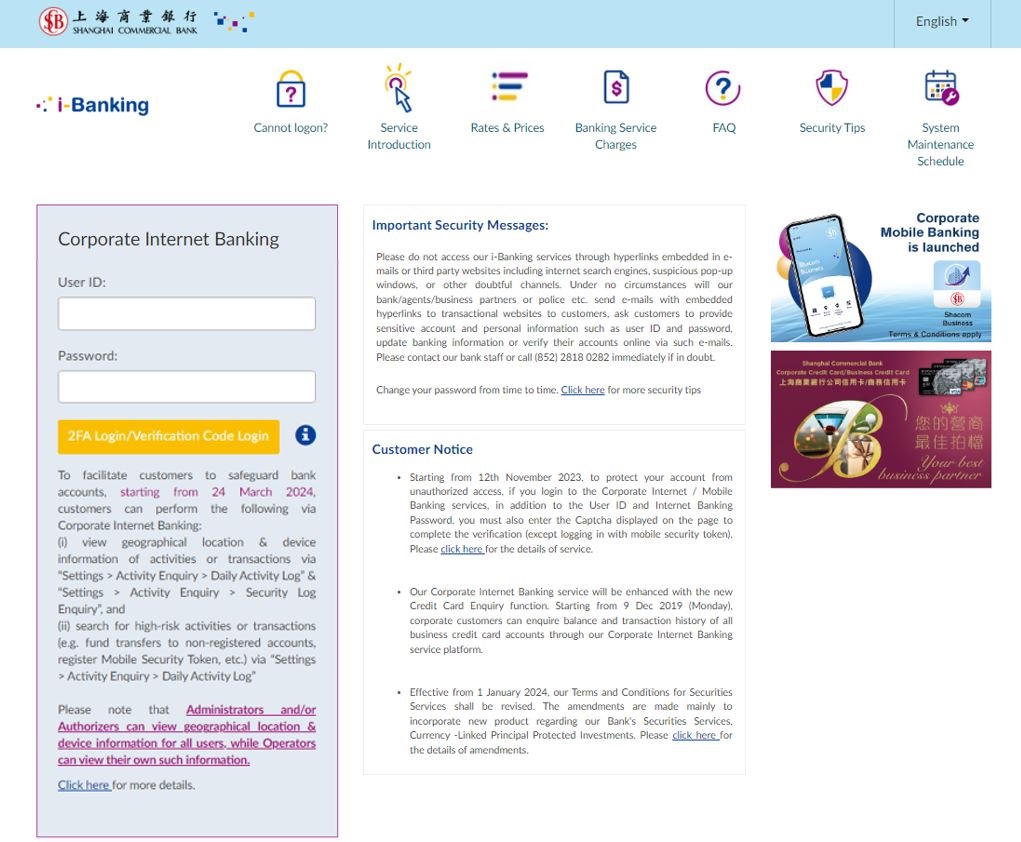
Step 2: Use Mobile Security Token or use Physical Security Device or enter the verification code (Captcha) displayed on the page
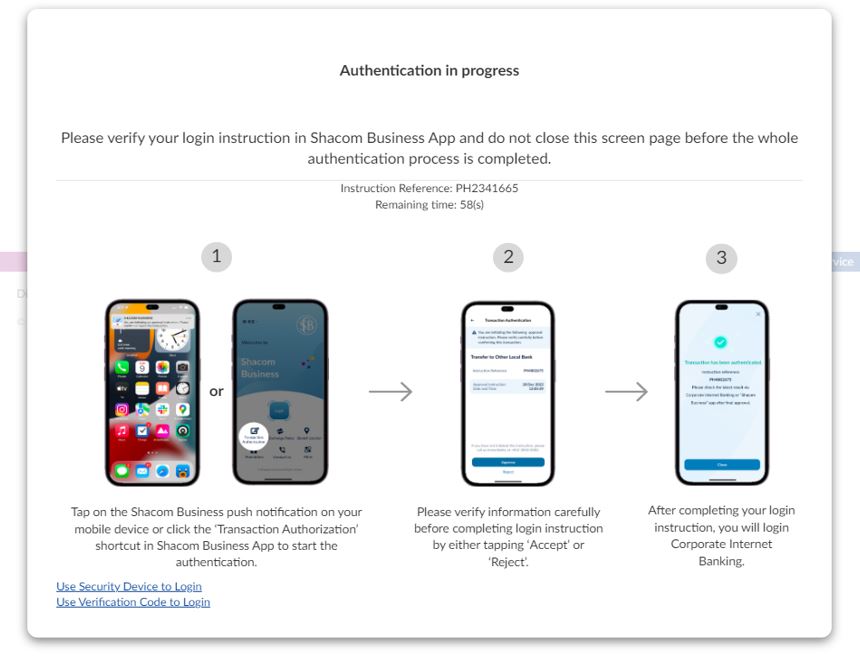
- Choose to login with Mobile Security Token;
Tap on the Shacom Business push notification on your mobile device or click the "Transaction Authorization" shortcut in Shacom Business App to start the Login authentication. Verify login instruction carefully and tap "Accept".
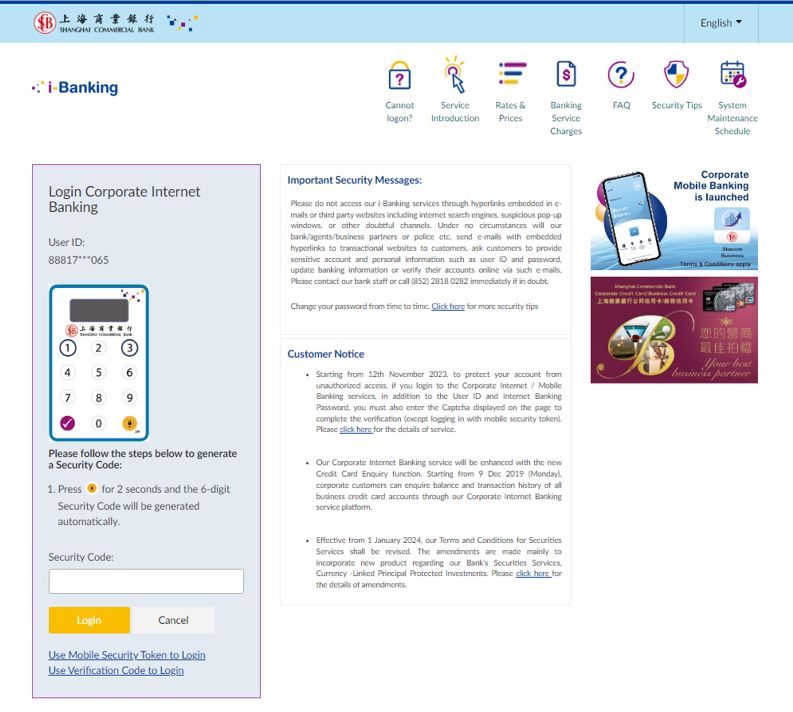
- Choose to login with Physical Security Device;
Enter the 6-digit security code generated from the device, and click "Login"
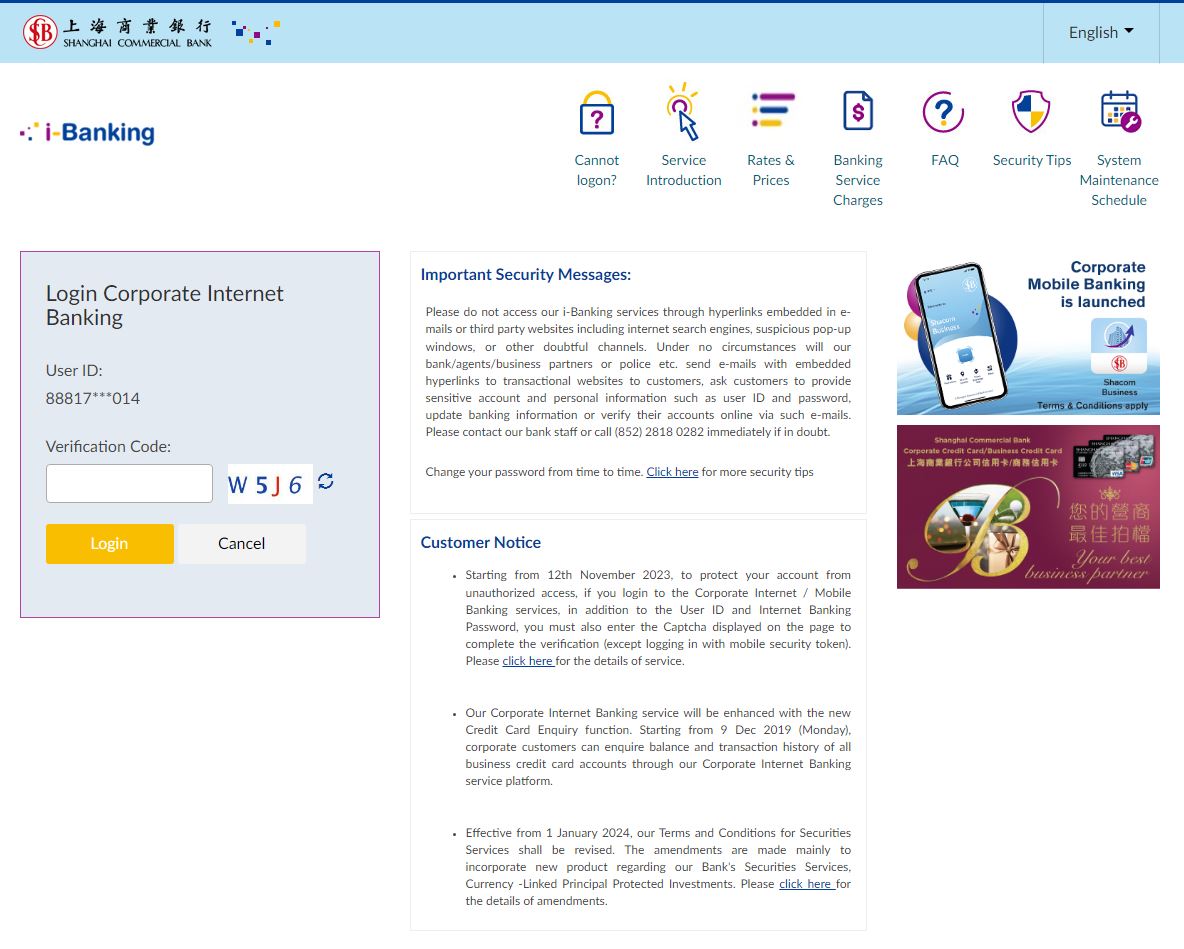
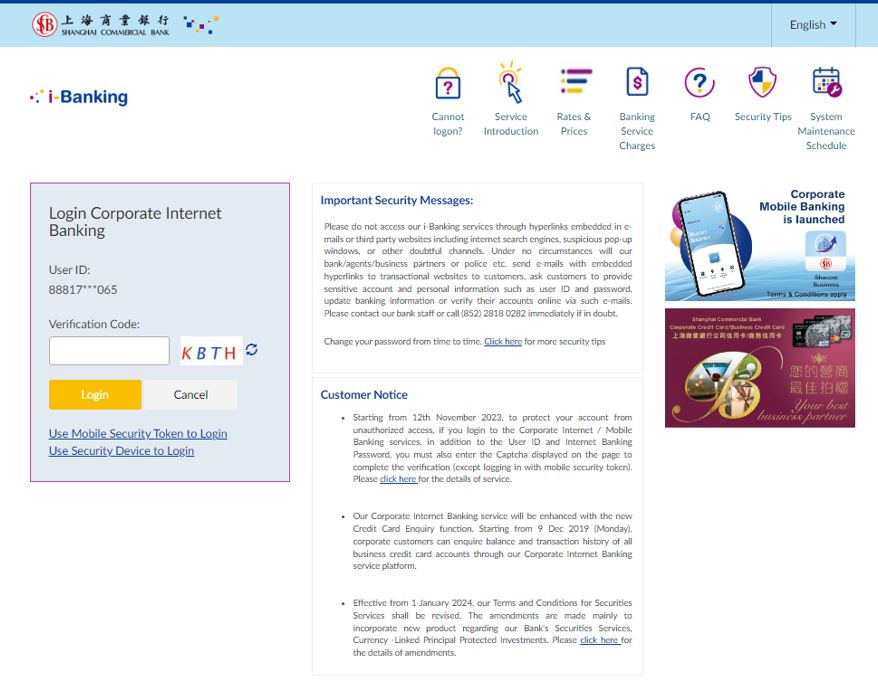
- Choose to login by entering Captcha
Enter the text shown on the picture into the "Captcha" field and click "Login". If you want to update the Captcha image, please click "". The Captcha will be presented in textual format on the login page, please input to the designated field to complete the verification process. Please note that the verification code is case-sensitive, thus please ensure you enter it precisely.
Operator logging in to Corporate Internet Banking
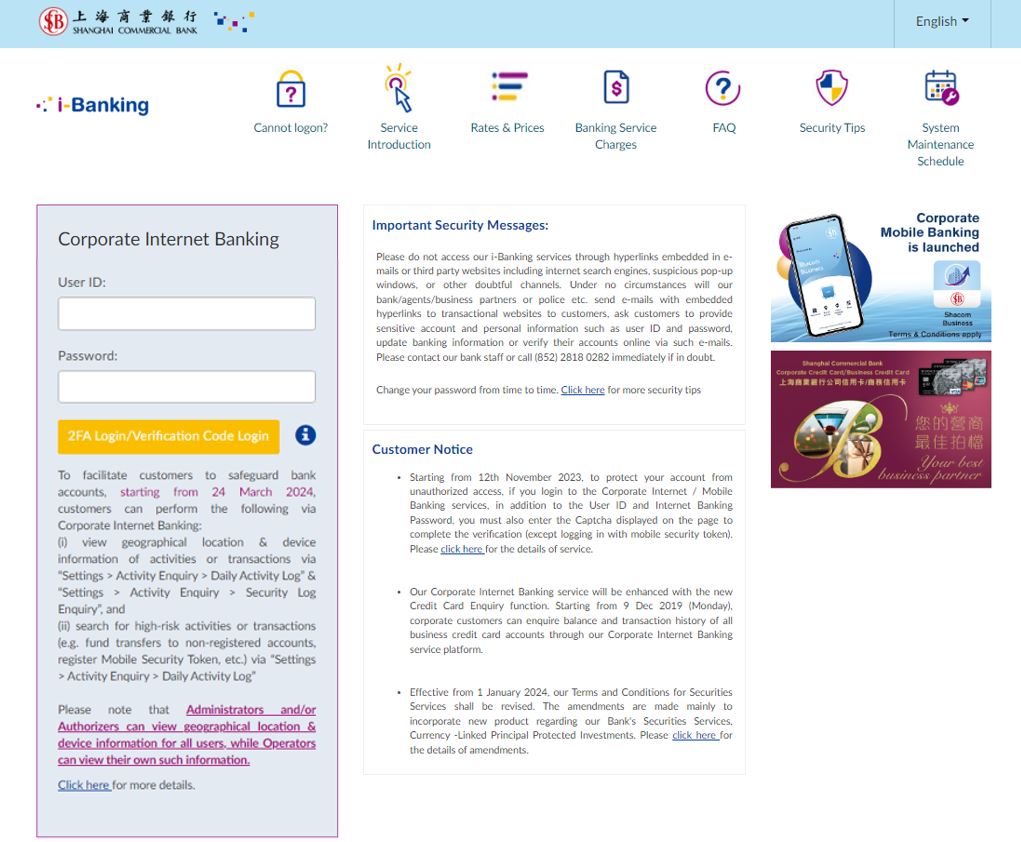
- Step 1: Enter "User ID" and "Password"
Enter "User ID" and "Password" in Corporate Internet Banking, and click "2FA Login/Verification Code Login"
- Step 2: Enter the verification code (Captcha) displayed on the page
Enter the text shown on the picture into the "Captcha" field and click "Login". If you want to update the Captcha image, please click "」". The Captcha will be presented in textual format on the login page, please input to the designated field to complete the verification process. Please note that the verification code is case-sensitive, thus please ensure you enter it precisely.