Fund transfer to other local banks' accounts via FPS is now available on Corporate Internet/Mobile Banking
Fund transfer via FPS is now available on Corporate Internet/Mobile Banking. Corporate customers can make HKD/RMB fund transfer to other local banks' accounts via FPS instantly 24x7 in real time1.
Before using this service, existing Corporate Internet Banking customers are required to:
- read and agree to accept the Terms and Conditions for Faster Payment System to continue using Corporate Internet Banking / Corporate Mobile Banking Services, and
- set up Company's daily authorization limit and authorization matrix for "Transfer to Other Local Bank (FPS)" function as well as the access rights for the user(s) and daily personal authorization limit for Authorizer(s).
For the details of handling fee, please refer to "Banking Service Charges".
How to use?
Step 1: Administrator can logon to Corporate Internet Banking:
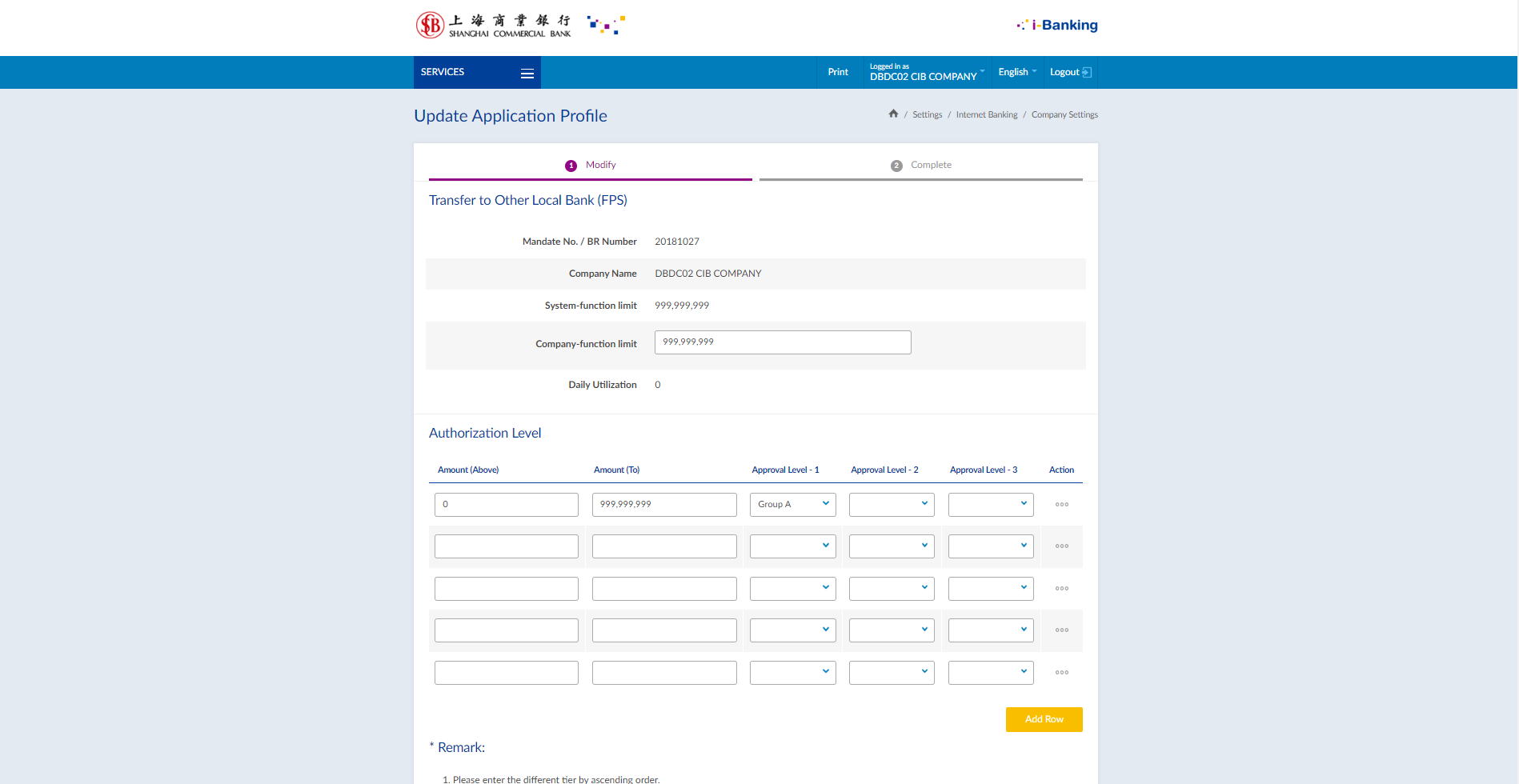
- select "Settings > Company Settings", then select "Transfer to Other Local Bank (FPS)" and click "Update" to setup daily authorization limit and authorization matrix under "Company function limit" and "Authorization Level" respectively.
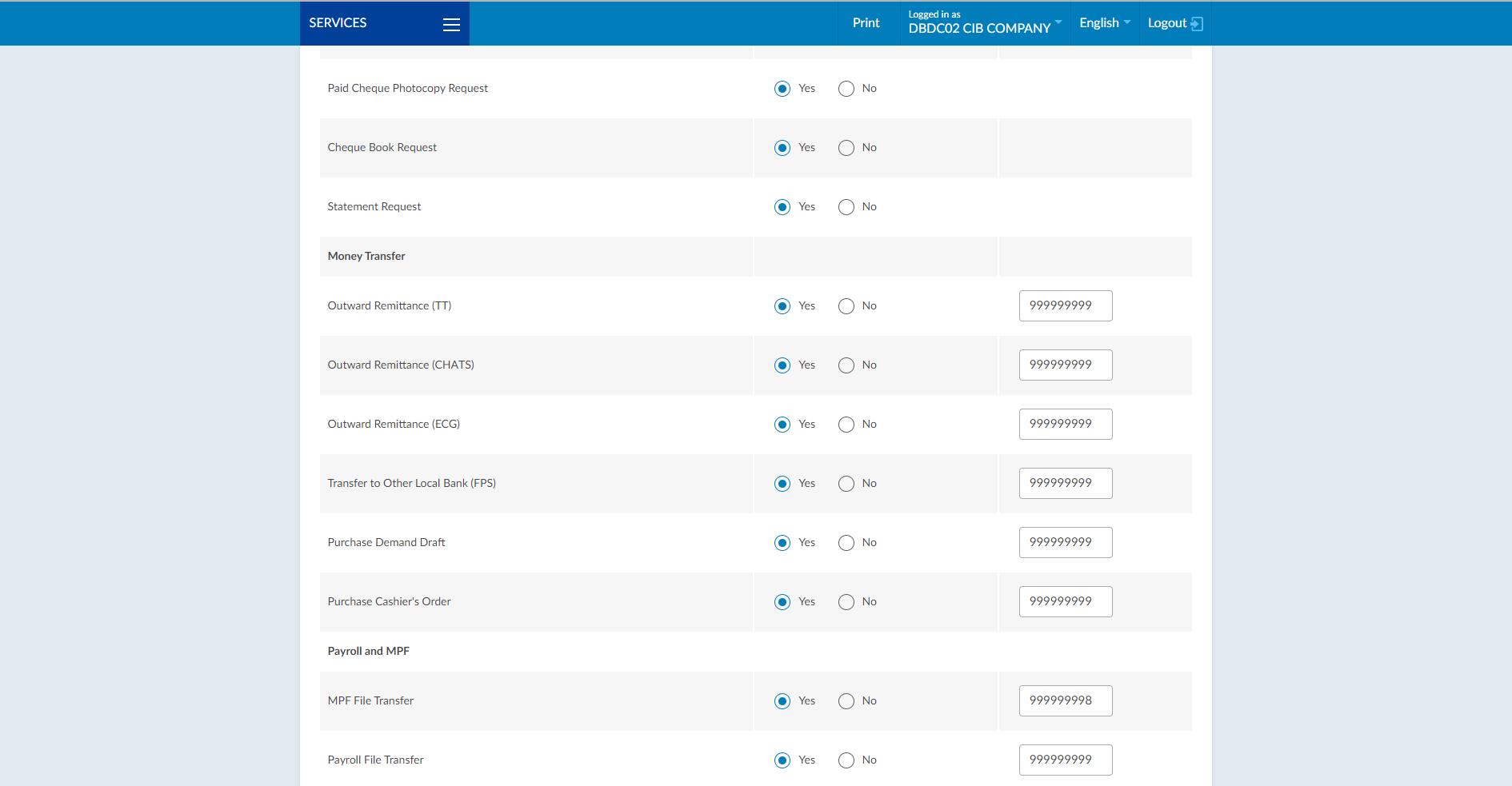
- select "Settings > Normal User Profile Settings", then select User ID and click "Modify" to setup the access rights and authorized limit of "Transfer to Other Local Bank (FPS)" function for each user(s).
Step 2: Authorizer / Operator can logon to Corporate Internet / Mobile Banking and create instructions via the following functions:
Corporate Internet Banking
Select "Transfer & Pay > Transfer To Other Local Bank (FPS) / Bulk Transfer To Other Local Bank (FPS)" from the menu 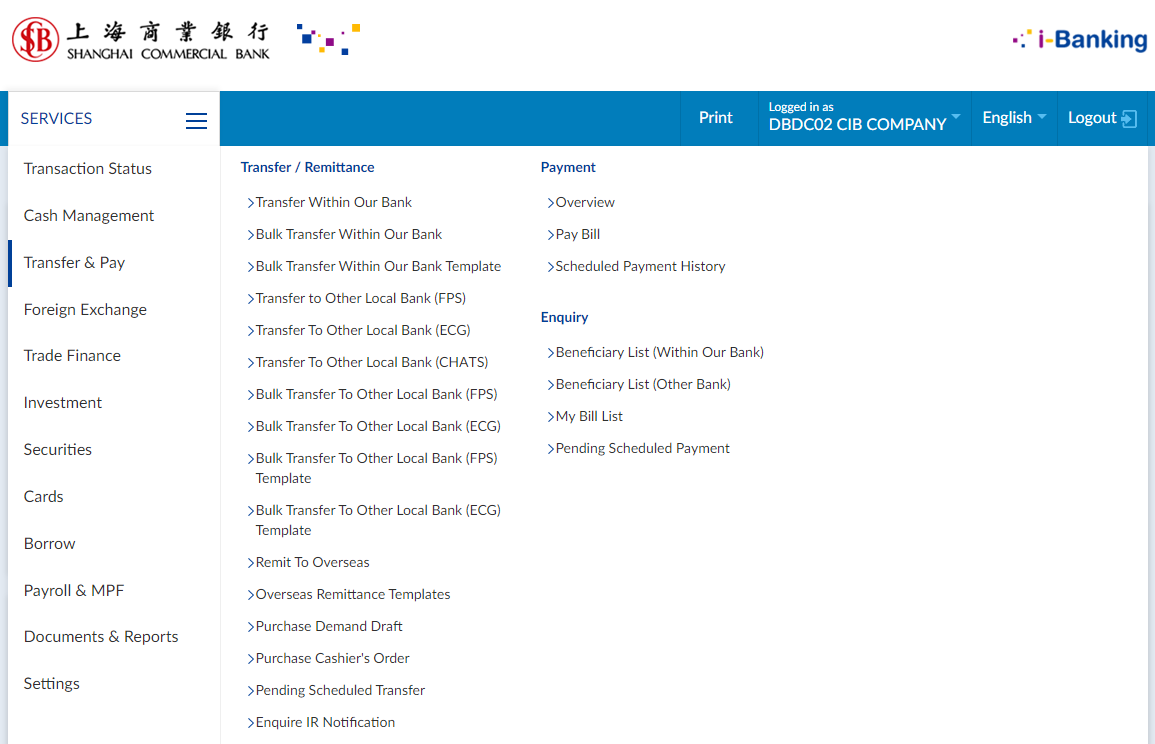
Corporate Mobile Banking
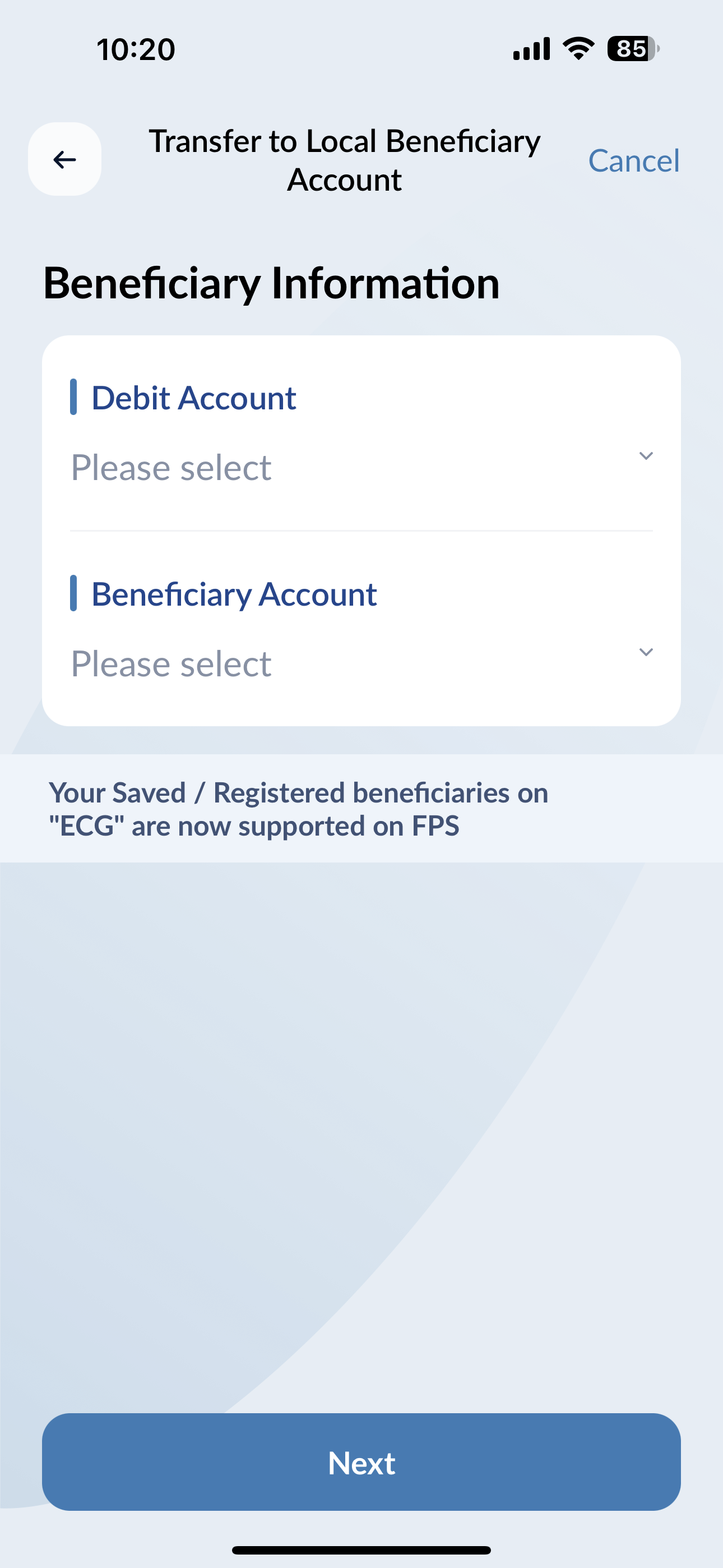
Select "Transfer & FX > Transfer to Local Beneficiary Account" from the menu and Saved / Registered Beneficiary (FPS)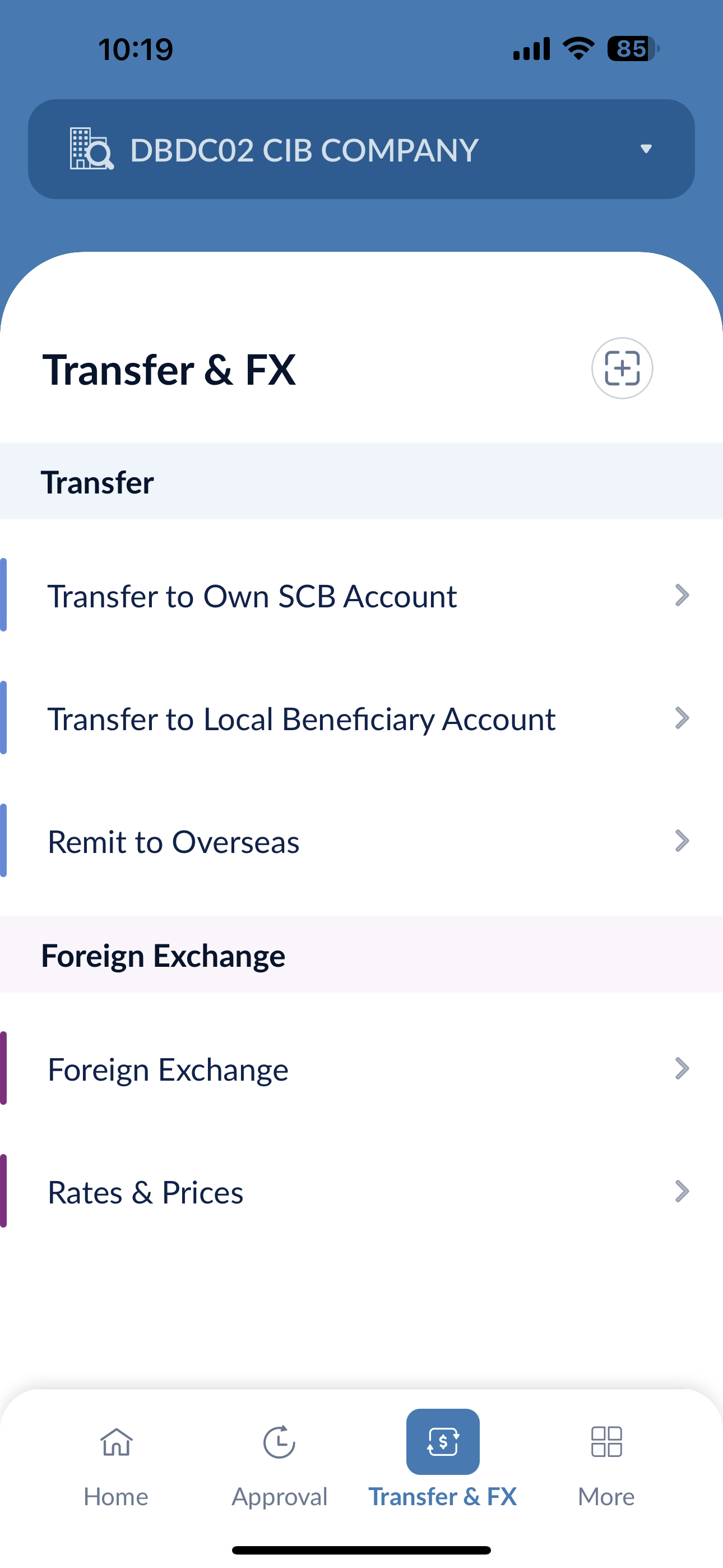
Remarks:
- Receiving time of the fund will be subjected to the process of the receiving bank.
- Transfer limit per transaction via FPS is HKD/RMB1,000,000.
- Handling charge may be imposed on specific transactions. Whether the transaction succeeds or not, the handling charge is not refundable. Please refer to "Banking Service Charges" for details.
- Faster Payment Service only supports same currency transfer. The currencies of debit account and payment must be the same and either in HKD or CNY.
- At the moment, Faster Payment Service only supports transfer through Beneficiary Name and Beneficiary Account Number, transfer through Beneficiary's mobile phone number / email / FPS Identifier (FPS ID) are not yet supported.
- Please ensure the beneficiary's name is the same with the bank record in the receiving bank.
- For scheduled transfer, please check the "Approval / Transaction Status" and transaction history on the selected transaction execution day.
- To ensure you can receive corresponding transaction status on time, SMS or email will be used to deliver the transaction details to customer, including transaction submission and other important transaction messages such as the scheduled transfer failure notification. Please ensure that your latest and valid mobile phone number and email address have been registered with the Bank.