A New and Easy Way to Register i-Banking and Reset Password is Now Available!
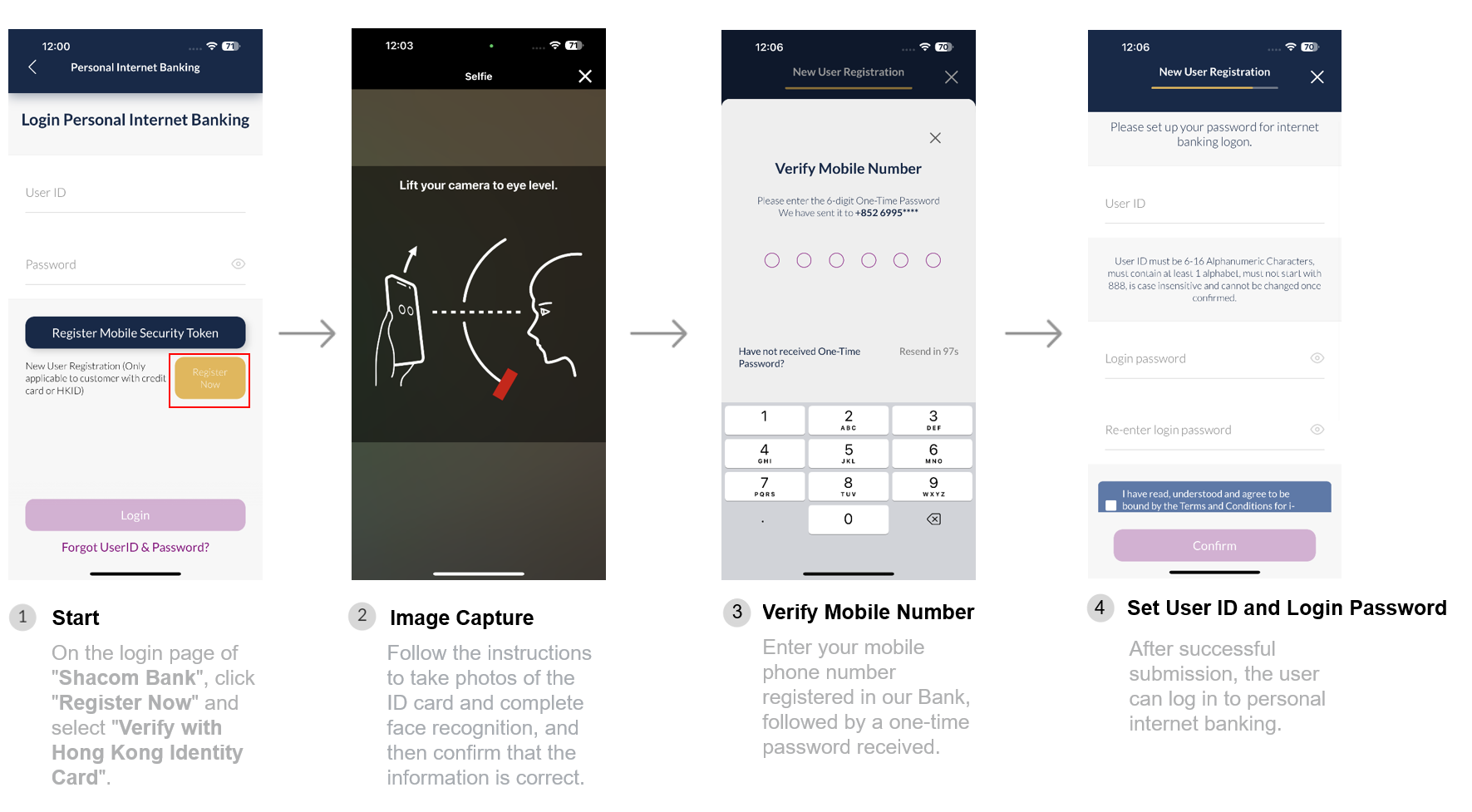
To enhance online banking experience for our customers, we introduced a new feature that will allow customers to register our i-Banking service or reset password securely and conveniently via their mobile devices within just a few minutes!How to use?
Internet Banking Registration
Reset password
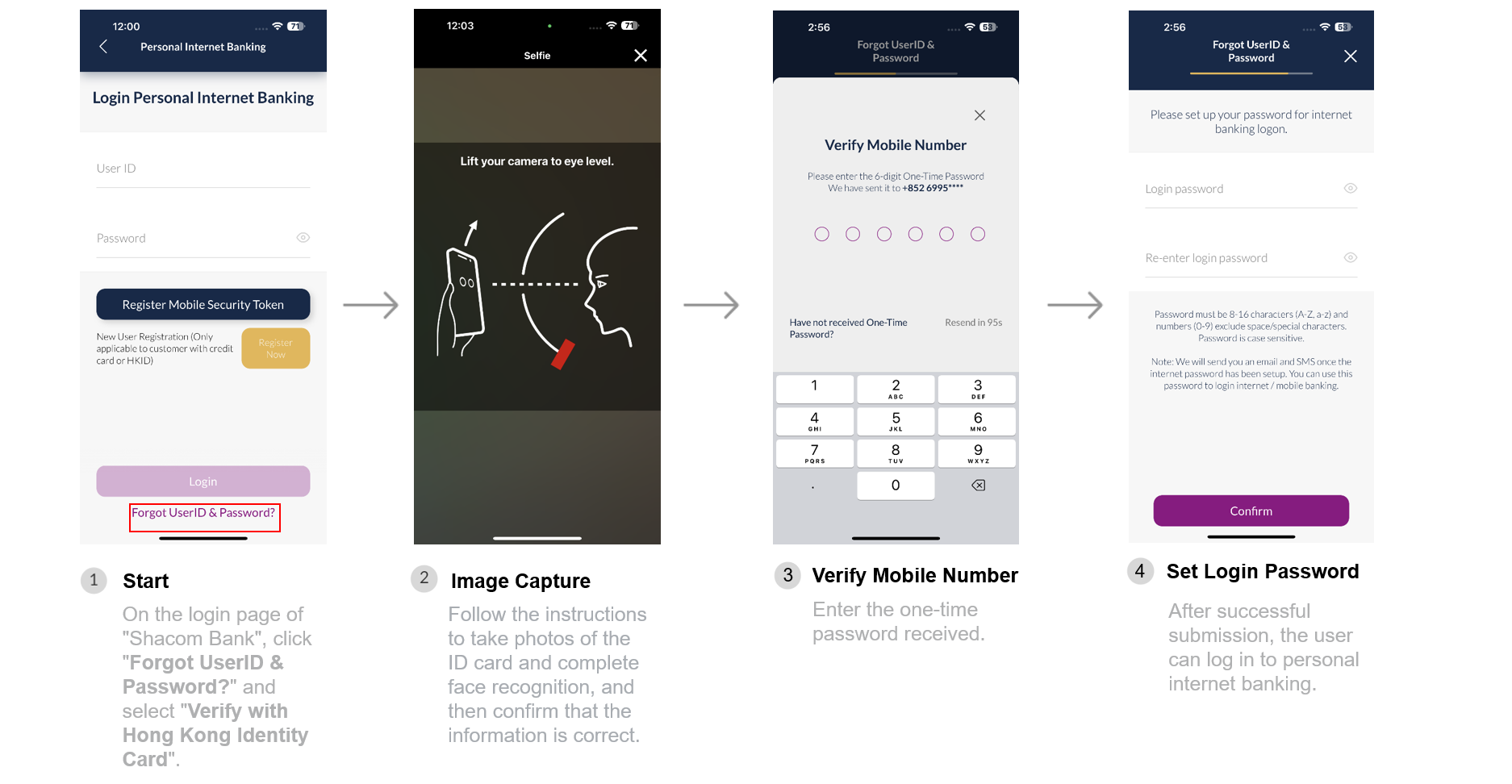
Once your identity has been successfully verified, you will receive an email and SMS notification. Then, you can immediately log in our personal internet banking platform. Try it out now! Should you have any enquiries, please contact our Customer Service Hotline at 2818 0282.


Search "Shacom Bank" in App Store or Google Play now to download / update the mobile App and experience the new function!
Remarks:
- Apple, the Apple logo, iPhone, Touch ID and Face ID are trademarks of Apple Inc., registered or in the process of being registered in the US and other countries.
- App Store is a service mark of Apple Inc.
- Google Play and the Google Play logo are trademarks of Google LLC.
- Image(s) are for reference only.
- Terms and conditions apply.
- In case of inconsistency between the English and Chinese versions of this letter, the English version shall prevail.